
An email signature is a text, like your contact information or a favorite quote, that’s automatically added at the end of Gmail messages as a footer.
 Instructions
You can put Nextroll, Adroll, or Rollworks icon in your signature.
Open Gmail.
-
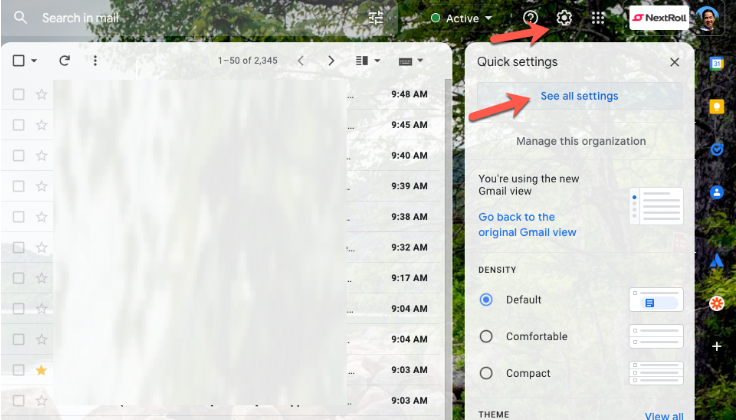
In the top right, click Settings See all settings.
-
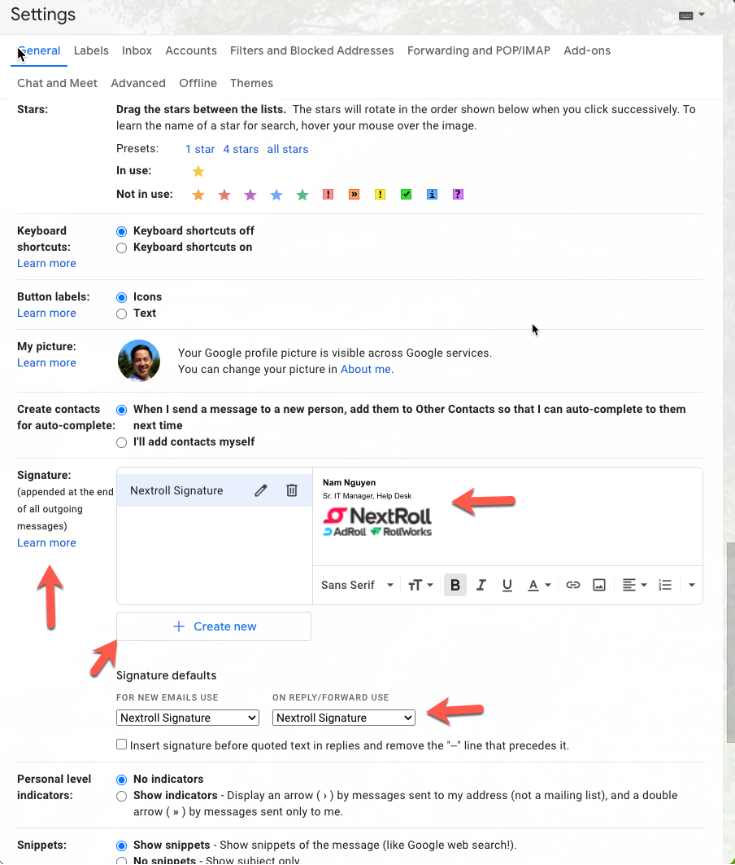
In the "Signature" section, add your signature text in the box. If you want, you can format your message by adding an image or changing the text style. Scroll to the bottom and select Save Changes after you are done.
-
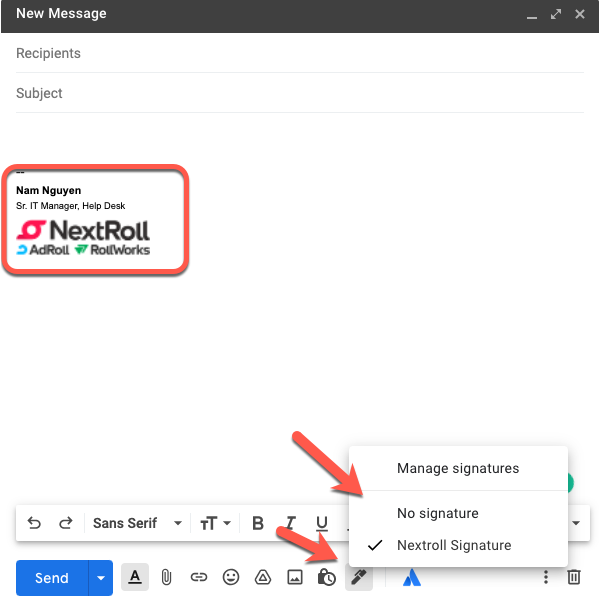
Upon opening a new email > Signature icon > Select the signature profile you want:
-
Nextroll Signature
NextRoll:
Name
Job Title
Adroll:
Check with your hiring manager
Rollworks:
Check with your hiring manager
Manage multiple signatures
You can use different signatures for your emails. For example, you can set a signature default for new emails you compose or reply to. You can also choose a different signature with each email you send.
Tip: If you want to change your signature while you write an email, at the bottom of the window, click Insert signature.
0 Comments